
For each key page
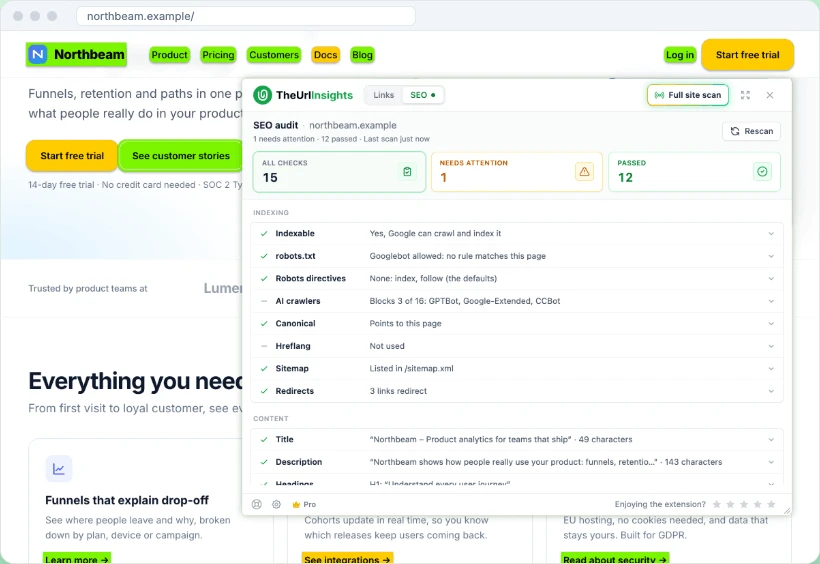
Run these on the homepage, top landing pages and any page that earns money. Most can be checked from the page itself in a minute or two.
| Check | Passes when |
|---|---|
| Status | The page answers 200, not an error or a redirect |
| Indexing | Not blocked by robots.txt; no unwanted noindex in the page or headers |
| Canonical | Points to this page, or deliberately to the original; the target answers 200 |
| Links | No broken links, images, scripts or stylesheets |
| Redirects | No chains or loops; links point to final addresses |
| Title | Present, unique and descriptive; roughly 30 to 60 characters |
| Meta description | Present and specific; roughly 70 to 160 characters |
| Headings | One clear H1; headings in a sensible order |
| Images | Alt text on images that carry meaning; alt="" on decorative ones |
| Social tags | og:title, og:description and a full https og:image address |
| Speed | LCP 2.5 s or less, INP 200 ms or less, CLS 0.1 or less (PageSpeed Insights) |
For the whole site
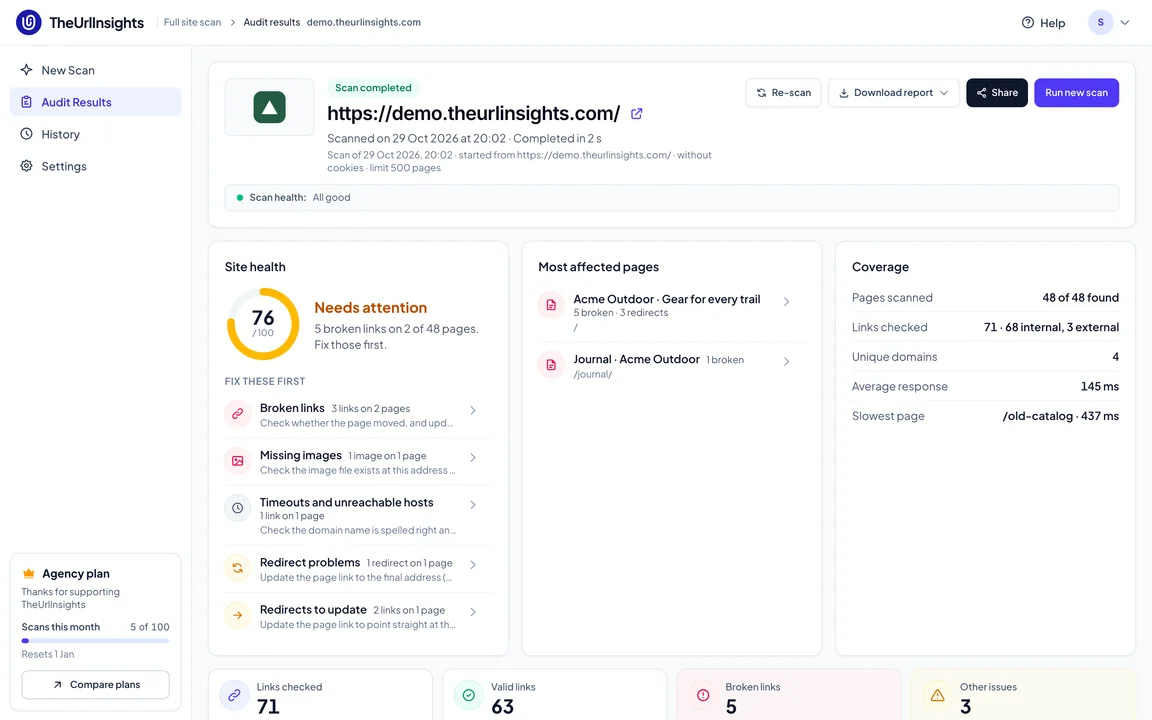
These need a scan of the site, or access to Search Console.
| Check | Passes when |
|---|---|
| robots.txt | Loads, and doesn't block sections that should be in search |
| Sitemap | Listed in robots.txt; lists the pages you want indexed |
| HTTPS | Every page loads over HTTPS; HTTP addresses redirect once |
| One host | www or the bare domain; the other redirects in one step |
| Broken links | None found in a site scan, or each one explained |
| Redirect chains | None in the site's own links |
| Coverage | The scan read every page it found, or the limit is noted |
| Search Console | No unexpected pages in "Not indexed" |
Download the checklist
The same checks as a CSV file, with a column to tick and one for notes. Open it in any spreadsheet.
Using it well
- Write down the evidence when an item fails, such as the status code or the URL, so the fix can be checked later.
- Lengths are guides, not rules. Google sets no fixed length for titles or descriptions; it trims them to fit the screen.
- Repeat the checklist after fixes, and keep the old one to compare.
For the order to work in, read how to audit a website step by step. To write up what you find, use the SEO audit report template.