
What is compared
Five things matter for most people choosing an SEO extension. Which on-page tags does
it read? Does it check links and follow redirects? Does it read indexing signals such
as noindex? And what needs an account or a paid plan? "Partly" means the
listing describes a narrower version of the check.
The comparison table
| Extension | On-page tags | Links | Redirects | Indexing signals | Account or price |
|---|---|---|---|---|---|
| TheUrlInsights | Yes | Every link and resource | Hop by hop | robots.txt, noindex, canonical | Free account; paid plans for larger site scans |
| Detailed SEO Extension | Yes | Link export and highlighting | No | Meta robots and X-Robots-Tag | Free, no account |
| SEOquake | Yes | Including broken links | No chain view | Indexability | Free; account adds Semrush data |
| META SEO inspector | Yes | Counts, and a broken-link check | No | Meta robots | Free, no account |
| SEO META in 1 CLICK | Yes | Counts | No | Meta robots; robots.txt link | Free, no account |
| Redirect Path | No | No | Including meta and JavaScript | Headers only | Free |
| Ahrefs SEO Toolbar | Yes | Broken and redirected | Chains | noindex, robots.txt, sitemap | Free on-page; data from $29/month |
| MozBar | Yes | Link highlighting | No | robots.txt and sitemap checks | Guest use; Moz Pro for more |
| SEO Minion | Yes | Including broken links | Server, meta and JavaScript | Partly | Sources conflict: free, or a paid plan |
Who each one suits
- Content editors checking a page before publishing: a tag reader such as Detailed or META SEO inspector, plus a link check.
- SEOs who want platform data in search results: SEOquake, Ahrefs SEO Toolbar or MozBar, depending on which platform you already pay for.
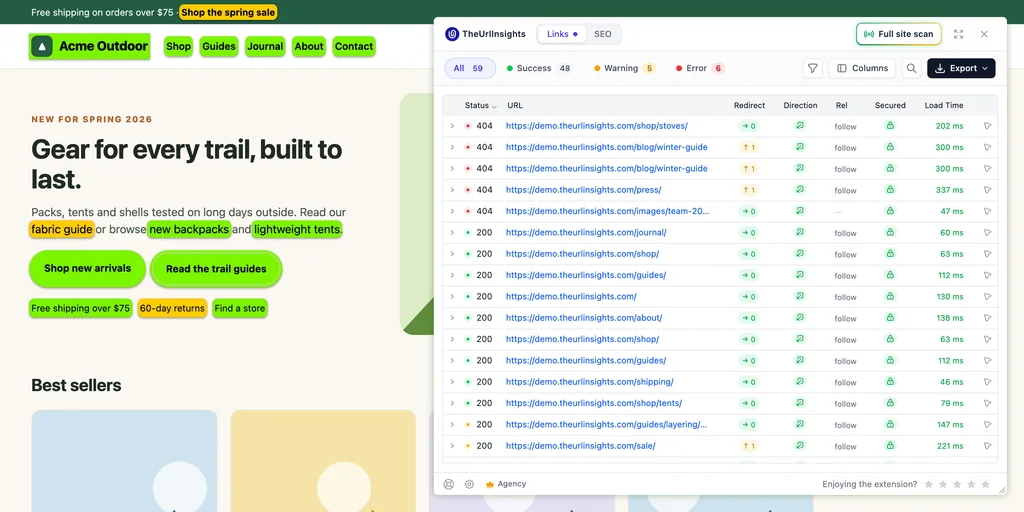
- Developers and QA testers tracing a redirect or a failing resource: Redirect Path for redirects alone. TheUrlInsights for every link, with its status, headers and timing.
- Anyone checking a whole site, not one page: an extension that can scan, or a desktop crawler. TheUrlInsights' Full Site Scan covers the links; an SEO extension vs an SEO platform explains when you need more.
Things the table can't show
Listings describe features, not how well they work on your sites. Two extensions can both "check redirects" and show very different detail. Ratings also move: MozBar's 1.4 and SEO Minion's 1.6, as listed, suggest reading recent reviews. SEO META in 1 CLICK hasn't been updated since August 2024.
For picks by task, with prices, see the best SEO Chrome extensions. If you're moving from a link checker, see how it compares with Check My Links.