
Three kinds of SEO tool
| Browser extension | Desktop crawler | SEO platform | |
|---|---|---|---|
| Answers | What's wrong with this page, right now? | What's wrong across my site? | How do I compare in search, and why? |
| Works on | The page in your tab | Every page it can reach on a site | The platform's own index of the web |
| Good at | Tags, links, redirects, indexing signals, staging pages | Site-wide issues, duplicates, structure | Keywords, rankings, backlinks, competitors |
| Typical cost | Free, or free with an account | Free tiers with limits; paid licences | Monthly subscriptions |
What they cost
Prices from each maker's pricing page on 4 November 2026:
- Semrush: a free plan with 10 reports a day; the SEO plan is $139 a month, or $117.33 a month paid yearly.
- Ahrefs: a free tier, then Starter at $29 a month and Lite at $129.
- Screaming Frog SEO Spider: free for up to 500 URLs a crawl; a licence is £199 a year.
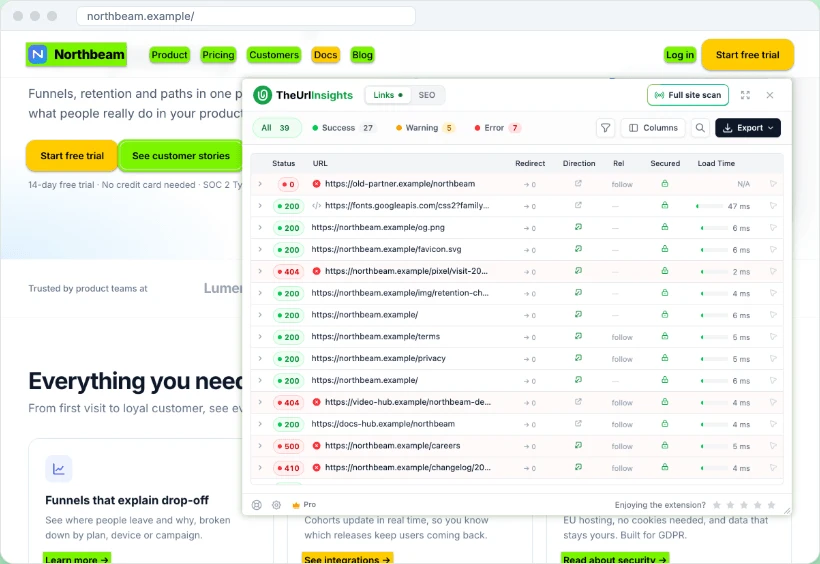
- Browser extensions: most are free. TheUrlInsights is free for every link and SEO check, with paid plans for larger site scans; compare plans.
The cheapest set that covers the basics
For a small site, you can cover most technical checks for nothing. Use Google Search Console for Google's view, and a crawler's free tier or an extension's site scan for site-wide links. Add PageSpeed Insights for speed, and an extension for each page. A platform becomes worth paying for when you need keyword research, rank tracking or backlink data.
Which do you need?
- You check pages as you publish them: an extension is enough.
- You look after a site of hundreds of pages: add a crawler or a site scan.
- You plan content around search demand, or report rankings to clients: add a platform.
The extensions themselves are compared in the SEO Chrome extensions comparison. For a free route through an audit, see how to audit a website for free.
Common questions
What is the cheapest SEO tool?
Google Search Console, PageSpeed Insights and most browser extensions are free. Among paid platforms, entry plans start at about $29 a month (Ahrefs Starter). Screaming Frog's licence is £199 a year.
Can an SEO extension replace Semrush or Ahrefs?
Not for keyword, ranking or backlink data, which comes from those platforms' own indexes. For checking your own pages' tags, links and redirects, an extension often does the job.