
What free tools can cover
No single free tool does a whole audit. Each one is strong at one part, and several only work on sites you own. This table shows the main ones.
| Tool | What it checks | Limits | Need to own the site? |
|---|---|---|---|
| Google Search Console | How Google indexes your pages, search queries, Core Web Vitals from real visits | Shows what Google last saw, not always the live page | Yes |
| PageSpeed Insights | Speed and Core Web Vitals for one page, from lab tests and real visits | One page at a time; little field data on low-traffic pages | No |
| Rich Results Test | Structured data for the rich results Google supports | Only types Google supports; the page must be public | No |
| Lighthouse (in Chrome) | Performance, accessibility, best practices and basic SEO for one page | A lab test on your own device and connection | No |
| Screaming Frog SEO Spider, free | A desktop crawl of a site's pages | Up to 500 URLs a crawl; saving crawls and JavaScript rendering need a licence | No |
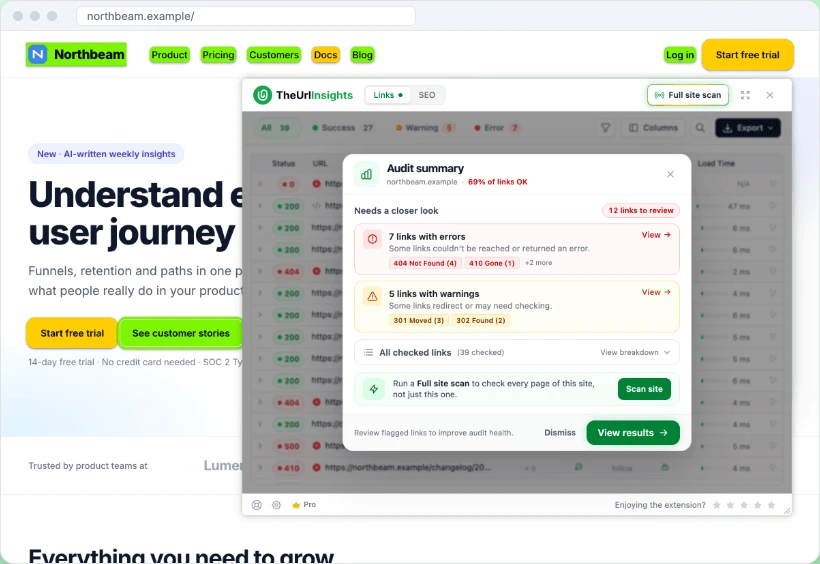
| TheUrlInsights, Free plan | Links, redirects, indexing signals and 15 on-page checks on any page; a Full Site Scan of links | 3 site scans a month, up to 100 pages each; needs a free account | No |
Sources: PageSpeed Insights documentation, Rich Results Test help and Screaming Frog, checked on 4 November 2026.
A free audit, step by step
- Search Console first, if you own the site. Open the Pages report for pages Google couldn't index, and note why.
- Check your key pages one by one. In Chrome, the TheUrlInsights panel checks each link on the page, and its SEO tab runs the indexing and content checks.
- Scan the site. A Full Site Scan reads up to 100 pages on Free. For a bigger site, scan its most important section first.
- Test speed on a few templates. A product page, an article and the homepage in PageSpeed Insights cover most of a typical site.
- Test structured data on pages that use it, with the Rich Results Test.
- Write down what you found, with the evidence and a priority, then fix and check again.
Where free tools stop
Free tools are good at finding problems. They're weaker at the parts that take judgement: deciding what matters most for this business, and turning findings into a plan.
They also have hard limits. Page caps, single-page tests and data only for sites you own all leave gaps on large or unfamiliar sites. Paid crawlers and SEO platforms fill those gaps, and are worth it when you audit often or audit big sites.
Where to go next
For the full process, including when to use a site scan, read how to audit a website step by step. For a list to tick as you go, use the website audit checklist. For SEO checks alone, see how to check a website's SEO for free.
Common questions
How can I audit a website for free?
Use Search Console for indexing if you own the site, and a browser extension for each key page's links and on-page SEO. Add a free site scan for broken links, and PageSpeed Insights for speed.
Is a free website audit tool enough?
For a small site, often yes. Free tools find most technical problems. A large site, or one with a traffic drop to explain, may need a paid crawler or an experienced person to interpret the results.
Which free audit tools work on a site I don't own?
PageSpeed Insights, the Rich Results Test, Lighthouse, Screaming Frog's free crawl and TheUrlInsights all work on any public site. Search Console only shows sites you've verified.