
What it does
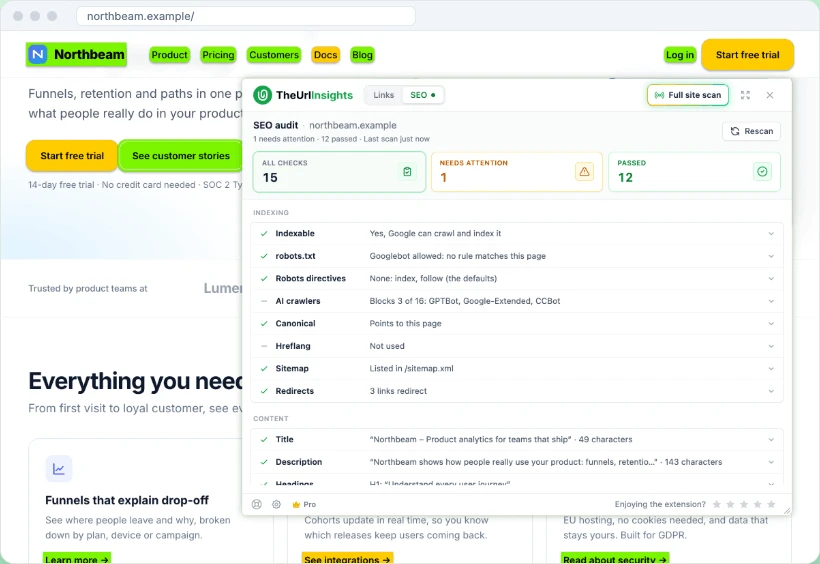
Open a page, click the extension's icon, and it shows a report about that page. Depending on the extension, it covers the title, meta description, headings and canonical. Many add robots directives, structured data, image alt text and the status of every link.
Some add data from an SEO platform, such as estimated traffic or backlinks. Others focus on one job, such as tracing redirects.
How it works
An extension has three ways to learn about a page:
- It reads the page in your tab. This is the page after scripts ran, so it sees titles or links that JavaScript added.
- It fetches addresses itself. To check a link, it requests that address and reads the answer: the status code, any redirect, the headers.
- It reads files the site publishes, such as robots.txt and the sitemap, to judge whether search engines may index the page.
Because it works on the page you have open, it can check pages a website crawler can't easily reach, such as a staging site. It may not see what a search engine sees, though: a page that looks fine to you may answer differently to a crawler.
What the permissions mean
Chrome shows an extension's permissions when you install it. An SEO extension usually asks to "read and change" data on the websites you visit. That's what lets it read the page and highlight links. Check the listing's privacy section to see what, if anything, the extension sends to its maker.
What an extension can't do
- See the whole site at once. Most check one page. Some, like TheUrlInsights' Full Site Scan, can scan a site's links from a tab.
- See Google's view. Whether a page is actually indexed, and which canonical Google chose, is in Google Search Console.
- Fix anything. It finds and explains problems. The fix happens in your site's code or CMS.
- Track rankings or backlinks on its own. Extensions that show those take the data from a paid platform.
An example: one page, checked
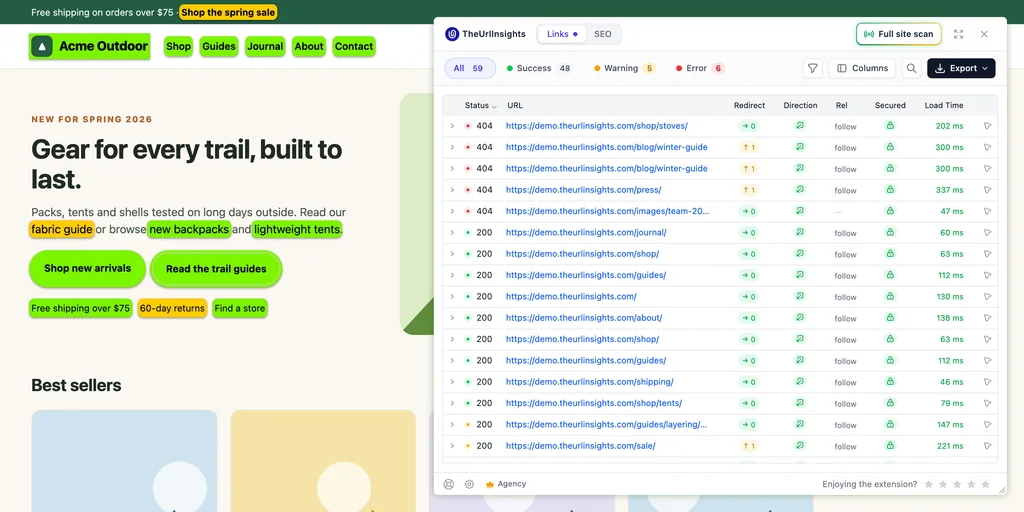
On a demo shop's homepage, an extension check found 59 links. Six answered with errors, five redirected, and the SEO tab flagged three issues, including links that redirect to a broken page. Each one came with the page element it was on, so it could be fixed.
To do this on your own pages, follow how to audit a webpage with a Chrome extension. To choose one, see the SEO Chrome extensions for each task.