
What SEO meta tags are
They sit in a page's <head>, out of sight. The ones that matter for
search are the title, the meta description, the canonical link and the robots tag. The
robots tag can keep a page out of search. Open Graph tags decide how a shared link
looks.
<head>
  <title>Lightweight Tents for Two – Acme Outdoor</title>
  <meta name="description" content="Light two-person tents that pitch in five minutes, tested in rain and wind. Free returns for 60 days.">
  <link rel="canonical" href="https://www.example.com/shop/tents/">
  <meta name="robots" content="index, follow">
  <meta property="og:title" content="Lightweight Tents for Two">
  <meta property="og:image" content="https://www.example.com/images/tents-1200x630.jpg">
</head>
One tag that no longer matters: Google doesn't use meta keywords at all
(Google Search Central).
Three ways to check them in Chrome
-
View source. Press Ctrl+U, or ⌥⌘U on a Mac,
and search for
<titleordescription. This shows the HTML the server sent. - Developer tools. Right-click, choose Inspect, and look in the Elements panel's head. This shows the page after scripts ran.
- An extension. One click shows every tag at once, with lengths and warnings.
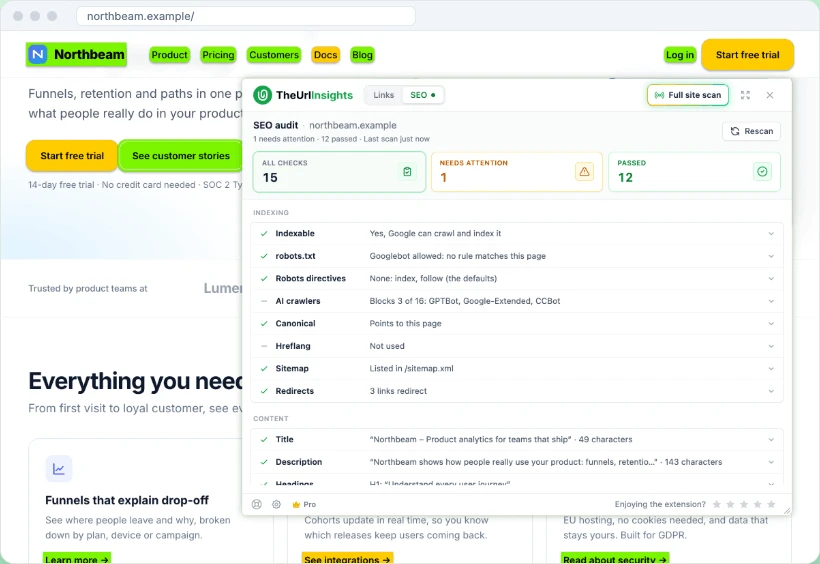
SEO meta in one click
"One click" extensions show a page's meta tags in a single popup. The best known is SEO META in 1 CLICK, with a million users. It lists the title and description with their lengths, the canonical, the robots tag and the headings. It also shows images without alt text, link counts and Open Graph tags.
It reads tags; it doesn't check whether the canonical's target works, or whether links are broken. Its listing was last updated in August 2024. TheUrlInsights also checks the targets: whether the canonical loads and whether each link answers. Its meta tag checker covers titles, descriptions and social tags.
How to write a meta description
Google sets no length limit; it trims snippets to fit the screen. It often writes its own from the page's text, and uses your description when it sums the page up better (Google Search Central). So write for the reader:
- Say what the page offers, specifically: a product, its key fact, a reason to click.
- Write a different one for every page.
- Keep the important part early; around 160 characters shows on most screens.
- Avoid lists of keywords.
Before: Tents, camping tents, best tents, cheap tents, buy tents online
After:  Light two-person tents that pitch in five minutes, tested in rain and wind. Free returns for 60 days.
Checking titles
A title should be unique, clear and concise, and lead with what the page is about. Google may rewrite titles that don't describe the page well. The SEO tab flags a missing title, more than one, and one that may be cut off.
For every tag that matters in a page's HTML, see how to do SEO in HTML.
Common questions
What is SEO meta?
The tags in a page's head that describe it to search engines: mainly the title, the meta description, the robots tag and the canonical. Open Graph tags do the same for social networks.
How do I make an SEO meta description?
Write one or two sentences, specific to the page, that tell a searcher why to click. Keep the key point early and avoid keyword lists. Google may still write its own snippet.
What is SEO meta in 1 click?
SEO META in 1 CLICK is a free Chrome extension that shows a page's meta tags, headings and image alt text in one popup. It reads tags rather than checking links or redirects.